



I learned this lesson the hard way. I spent money on Instagram analytics tools thinking they would help me grow faster. Every tool promised better insight.
Every dashboard looked impressive. Yet week after week, my content stayed the same, and growth did not improve. Most tools showed numbers I already saw inside Instagram, just presented in a different way.
That experience taught me something important. More data does not mean better decisions. Most creators do not fail because they lack tools.
They fail because they are overwhelmed by them. This guide is built from real testing, real mistakes, and real results. It shows what actually helps and what quietly wastes time and money.
- Most creators do not need paid Instagram analytics tools
- Instagram Insights covers most growth decisions
- Follower tracking helps explain spikes and drops
- Checking analytics weekly works better than daily checks
- Simple tools beat complex dashboards
What Instagram Analytics Tools Do
Instagram analytics tools collect data from your account and organize it.
They help answer simple questions:
- What content works
- When followers are active
- How fast your account grows
- Why followers come or leave
Some tools connect directly with Instagram. Others track public data. This affects accuracy and limits.
Most creators only need a small part of this data.
Why Most Creators Do Not Need Paid Tools
Here’s the truth.
Many paid tools show the same numbers you already see in Instagram Insights. They add colors and charts, but no new insight.
If you have under 50,000 followers and manage one account, free tools cover most needs.
Paid tools only help when:
- You manage many accounts
- You send reports to clients
- You work across many platforms
If none of this applies, save your money.
Free Instagram Analytics Tools
Free tools are the best place to start.
Instagram Insights

Instagram Insights is built into Instagram for creator and business accounts.
It shows:
- Reach and engagement
- Follower age, gender, and location
- Best posting times
- Post, Story, and Reels data
Why it works:
- Free
- Data comes directly from Instagram
- Simple to check
Limits:
- Short data history
- No unfollower list
- No competitor data
For most creators, this is enough.
Free Follower Tracking Tools

Instagram does not show who unfollowed you.
Follower tracking tools fill this gap. They show follower changes in order. This helps connect growth or drops with content.
Some creators quietly use tools like InstaTrackr for this. It helps spot patterns without checking stats all day.
SocialBlade
SocialBlade tracks public growth data.
It shows:
- Daily follower changes
- Growth trends
- Simple engagement estimates
It works for quick checks, not deep analysis.
Paid Instagram Analytics Tools Worth Considering
Paid tools only make sense when they solve a clear problem.
Metricool
Metricool is budget friendly.
It offers:
- Post and Reels analytics
- Best time to post
- Limited competitor tracking
- Scheduling
It suits growing creators and small brands.
Iconosquare
Iconosquare focuses on reports and comparisons.
It includes:
- Engagement trends
- Hashtag tracking
- Competitor benchmarking
- Data exports
It fits creators working with brands.
Hootsuite
Hootsuite mixes scheduling and analytics.
It works best for teams using many platforms. For Instagram alone, it can feel too much.
Sprout Social
Sprout Social targets agencies and teams.
It includes:
- Deep reports
- Team workflows
- Client dashboards
It costs more than most creators need.

Instagram Analytics Tools Comparison Table
| Tool | Free Plan | Paid Starts | Best For |
|---|---|---|---|
| Instagram Insights | Yes | Free | Core account data |
| InstaTrackr | Yes | Free | Follower changes |
| SocialBlade | Yes | Free | Growth trends |
| Metricool | Yes | Low cost | Creators and small brands |
| Iconosquare | Trial | Mid range | Reports and benchmarking |
| Hootsuite | No | High | Teams and multi-platform |
| Sprout Social | No | High | Agencies and businesses |
This table helps make fast decisions.
A Simple Two-Tool Setup That Works
Many creators overcomplicate analytics.
A simple setup works better:
- Instagram Insights for performance
- One follower tracking tool for growth changes
This setup saves time and money. Some people use InstaTrackr here to review follower changes once a week, not every day.
Free vs Paid Analytics Tools
Free tools:
- Cover core needs
- Work for most creators
Paid tools:
- Save time at scale
- Help with reports and comparisons
If free tools already answer your questions, paid tools add little value.
| Situation | Pay for Tools? |
|---|---|
| One personal account | No |
| Under 50,000 followers | No |
| Managing many client accounts | Yes |
| Sending reports every week | Yes |
| Posting on many platforms | Maybe |
Data History and Long-Term Tracking
Data history matters for steady growth.
Instagram Insights keeps limited past data. Older trends may disappear.
Some third-party tools store data longer:
- Metricool keeps extended history on paid plans
- Iconosquare allows exports
- Follower tracking tools keep growth logs once connected
If you care about month-to-month progress, connect tools early.
Analytics Features You Actually Need
Ignore vanity metrics.
Essential Features
- Engagement rate
- Reach
- Saves and shares
- Follower growth over time
These guide real decisions.
Nice-to-Have Features
- Competitor comparisons
- Hashtag tracking
- Data exports
- Multi-account views
Helpful, but not required.
Hashtag Performance Analytics
Hashtags still matter, but less than before.
Hashtag analytics help you:
- Find tags that bring active users
- Avoid tags that attract bots
- Compare hashtag sets over time
Most creators check this monthly. Daily checks add stress without value.
Features You Can Skip
- AI content ideas
- Prediction charts
- Sentiment scores
- Team tools for solo users
These rarely improve results.
Reels, Posts, and Stories Analytics Explained

Each format behaves differently.
Reels focus on:
- Reach
- Watch time
- New followers
Posts focus on:
- Saves
- Shares
- Profile visits
Stories focus on:
- Completion rate
- Taps forward and back
- Exits
Reels often bring discovery. Stories build trust. Analytics help balance both.
How Often You Should Check Analytics

| Task | Tool | Time |
|---|---|---|
| Check reach and engagement | Instagram Insights | 5 minutes |
| Review follower changes | Follower tracker | 5 minutes |
| Note top content | Instagram Insights | 5 minutes |
Checking too often causes stress.
A simple routine works:
- Weekly check for trends
- Monthly review for planning
Daily checks do not improve results.
How to Choose the Right Tool
For Beginners
Use:
- Instagram Insights
- One free follower tracker
Focus on content.
For Growing Creators
Use:
- Instagram Insights
- A follower tracking tool
- Metricool if needed
Keep costs low.
For Agencies and Businesses
Use:
- Instagram Insights
- Hootsuite or Sprout Social
- Extra follower tracking per client
Here, time saved matters.
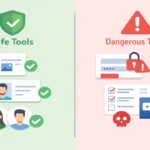
Red Flags to Avoid
Avoid tools that:
- Ask for your Instagram password
- Promise profile viewer lists
- Claim access to private accounts
- Hide pricing
These tools risk your account.

Frequently Asked Questions:
1. What are the best Instagram analytics tools?
The best tools depend on your needs. For most creators, Instagram Insights plus a simple follower tracking tool is enough. Paid tools only help when you manage many accounts or need reports.
2. Are free Instagram analytics tools accurate?
Yes. Free tools like Instagram Insights use direct platform data, which makes them reliable. Many paid tools show the same data in a different layout.
3. Can Instagram analytics tools track unfollowers?
Instagram does not show unfollowers. Some third-party tools track follower changes over time, which helps explain growth or drops if checked weekly.
4. How often should I check Instagram analytics?
Once a week works best. Weekly checks show trends without stress. Daily checks usually cause confusion without improving results.
5. Do Instagram analytics tools help grow followers?
Tools do not grow accounts on their own. They help you see what content works so you can make better posting decisions. Growth comes from action, not charts.
Conclusion:
After years of working with Instagram accounts, one pattern keeps repeating. Accounts grow when creators stay focused, not when they chase more analytics. I have tested free tools, low-cost tools, and expensive platforms. The simplest setups were always the easiest to use and the easiest to act on.
Today, my process is steady and calm. I review analytics once a week, look for clear patterns, and move on. Instagram Insights handles performance data.
A light follower tracker helps explain growth changes. Tools like InstaTrackr fit into this process without pulling attention away from content. Growth comes from consistency and clarity, not from complicated dashboards.

Instagram analytics specialist focused on data accuracy, ethical tracking, and performance-based social media insights.
His work focuses on converting publicly available data into clear, actionable analytics for creators, marketers, and businesses.
As a contributor at Instatrackr, Michael is involved in analytics research, data accuracy review, and content validation to ensure users receive reliable and transparent Instagram insights.




Leave a Reply